Web
Contact Linux? Linuxcomputers

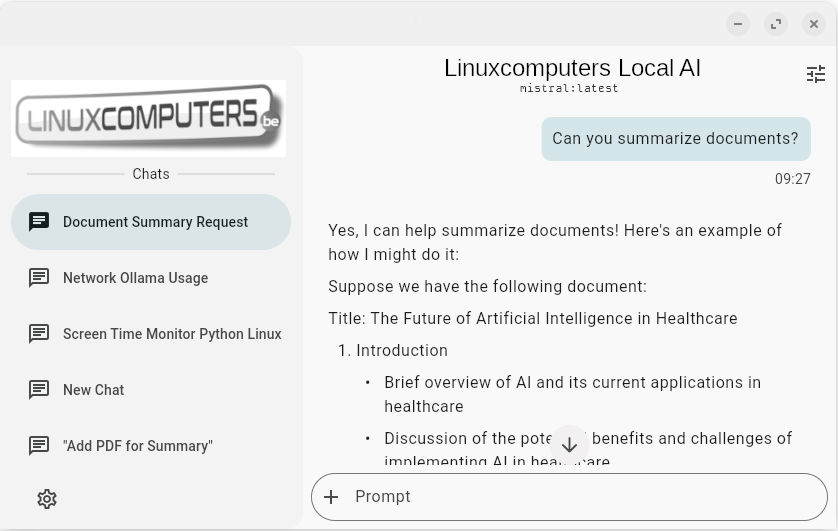
Local AI runs directly on your own computer, without your data being sent to external servers. This allows you to maintain full privacy and control over your data while still using powerful AI applications. A local AI PC is a one-time investment that enables you to work with AI securely and independently for years to come.


Lokale AI

Why Local AI?

ondersteuning

Full Privacy

Your data remains on your own computer: no cloud, no risks. No spyware

service

No subscriptions

One-time purchase, no ongoing costs

info

Full control

Choose which AI models you work with and how you manage data.

knowhow

Open source

Freedom is built-in, and it’s free, too.

What do you need for local AI?

  • An AI-enabled computer or laptop: a powerful graphics card to generate text and/or images
  • Sufficient processor speed
  • Sufficient memory: for local AI, 32 GB or even 64 GB is recommended.
  • Sufficient storage capacity 1 TB or even 2 TB is recommended for local AI.
  • Very powerful graphics card: for computing the language models used to generate text or images. The better the graphics card, the faster the local AI.
  • Link to our laptops designed for local AI

    Lokale AI

    What do you need for local AI?

  • An AI-enabled computer or laptop: a powerful graphics card to generate text and/or images
  • Sufficient processor speed
  • Sufficient memory: for local AI, 32 GB or even 64 GB is recommended.
  • Sufficient storage capacity 1 TB or even 2 TB is recommended for local AI.
  • Very powerful graphics card: for computing the language models used to generate text or images. The better the graphics card, the faster the local AI.
  • Link to our laptops designed for local AI

    Lokale AI